Generalist Tips&Tricks Vol 1
Hey guys, another day another tips !
Don't hesitate to check out the Part II here :
https://www.artstation.com/artwork/L2k5mP
I am happy to share with you theses very quick Tips&tricks ! Most of you probably know all of this but I got some questions that I tried to explain via video and Gif. This is how I am preparing my scenes and working on each projects. It will be a first series on a quick generalist tips&tricks journey :)
My Environment Tutorial is coming very soon so I thought it might bring some more understanding about the Generalist work.
Hope you'll like it, and Thanks for watching !
Stay tune for the Big one, In the wait you can find more Tips&Tricks on the 3DArtist mag N130.
Cheers !
How to create quick shaders for your model when you don't have Uv's thanks to the VrayTriplanar
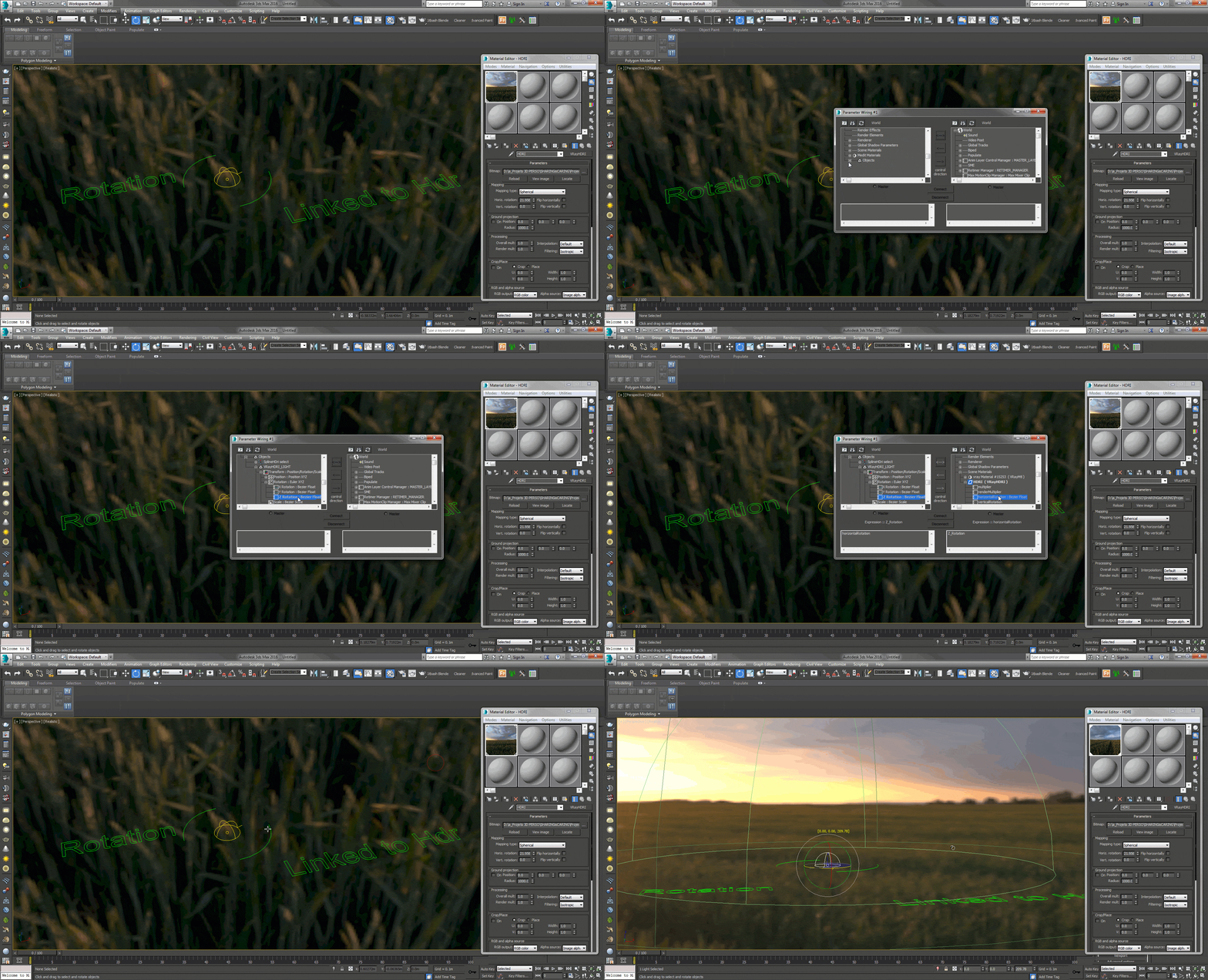
Lighting - Link your light rotation to your Hdri horizon thanks to the wire parameters, It's a nice tips for quick lighting !
Multimatte elements - A quick way to add color variations to your models with only one texture used -> This is a quick recap of one trick from the first video

Painter - Use the Fill on your layer to stacks grunge/dirt maps instead of creating tons of layers. It works also with your Displacement, glossiness, normals...etc...

Painter - Adding normal maps into your mesh and smart materials, using the new anchor point feature.

hardsurface - I like to have my own 'ready square cut kitbash ' so it's easy to weld into any others pieces

Forestpack - Create each pack separately like grass, cobble stones, rocks, tress... and copy past the ones you want to have more density. It will helps bring way more variations to your scenes by being able to tweak them independently
Vrayproxies - At the end of your scene assembly, ALWAYS convert as much as you can into vrayproxies. Your Ram memory will thank you for that and you might be very surprised to see that you divided by 2 your render time !

QuickRender - When you're doing preview of your light I strongly recommend to use the excellent QuickRender script from here : https://3d-kstudio.com/product/trackscripts/ -> It's bypassing and not replacing your current settings which is great !

At the end - Freeze your scene. It's optimizing the viewport and makes it more faster to navigate